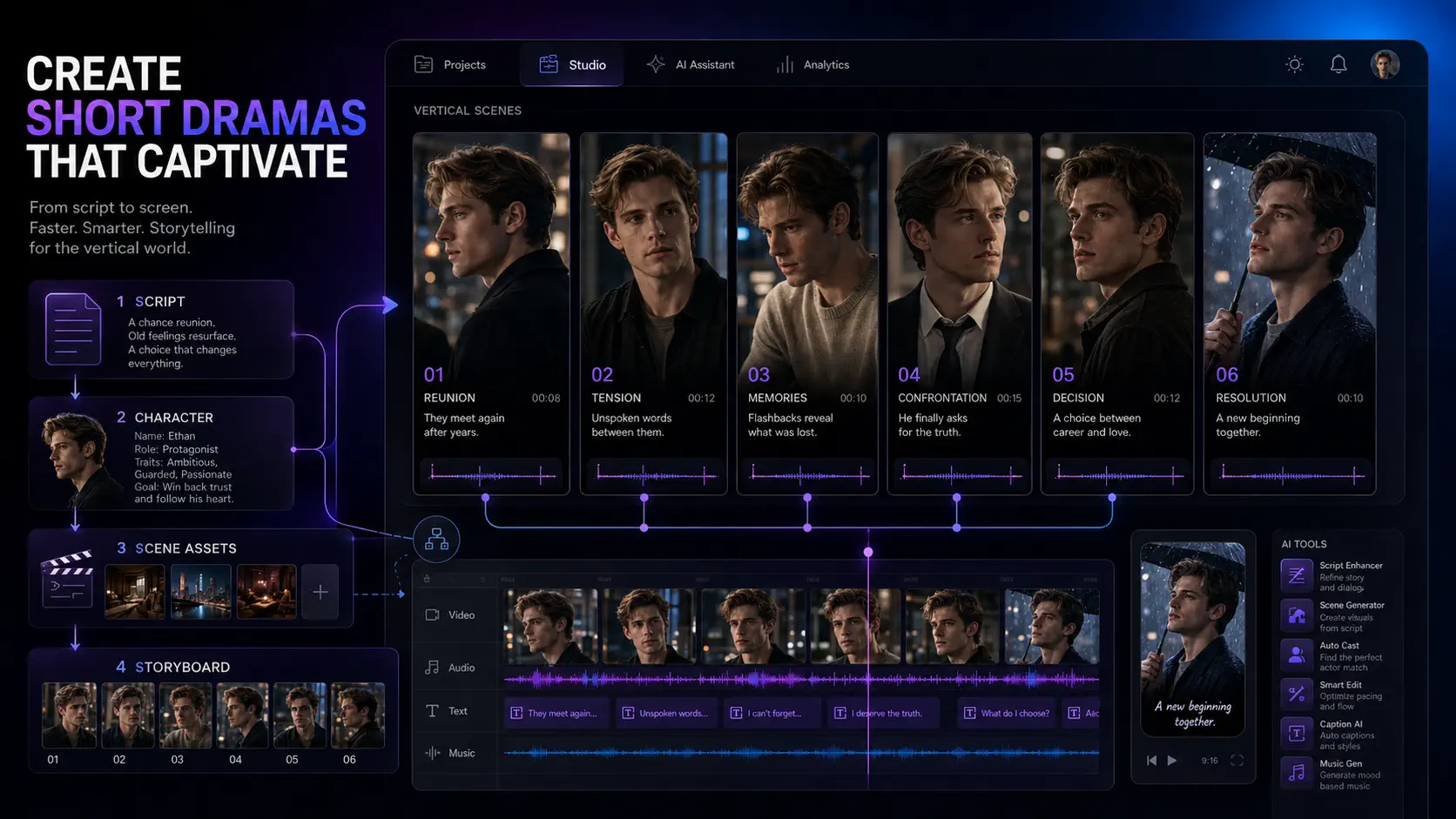
How to Make AI Short Dramas in 2026: A Practical Workflow
Learn a practical AI short drama workflow for stronger hooks, consistent characters, reusable assets, storyboards, video prompts, and cheaper revisions.
The most expensive AI short-drama mistake usually happens before anyone generates a video.
It starts when a creator moves from a rough idea straight into prompts. The first shot may look impressive, but the second introduces a slightly different face. The location changes without explanation. Dialogue no longer matches the character’s motivation. By episode three, every correction requires another round of generation.
That is the difference between making an AI clip and producing an AI short drama.
A clip can survive on one striking moment. A serialized drama needs a repeatable system for hooks, episode structure, character identity, locations, props, shot planning, and review. Continuity, storyboarding, vertical framing, and connected production matter more than simply gaining access to a powerful video model.
One-shot scripts and loosely connected tools make three failures more likely: weak narrative pacing, inconsistent spatial relationships, and expensive corrections late in production.
This guide shows how to build the missing production layer: a practical workflow that takes an idea through script, reusable assets, storyboard approval, video prompts, and final review.
Start with the story engine, not the video model
Before choosing a visual style or camera move, define the dramatic pressure that can carry more than one scene.
A useful short-drama premise contains five parts:
- Protagonist: Who must act?
- Immediate desire: What do they need right now?
- Opposition: Who or what blocks them?
- Emotional cost: What will they lose if they fail?
- Reversal: What discovery changes the meaning of the situation?
For example, “a junior designer discovers her new boss is her former fiancé” gives you a relationship, but not yet an episode engine. Add pressure and a reversal:
On the morning of her career-making pitch, a junior designer discovers the client who can save her company is the fiancé who disappeared before their wedding—and he claims she was the one who vanished.
Now the premise creates an immediate objective, a personal conflict, a public consequence, and a question that can drive the next episode.
Do not ask AI to invent fifty episodes at once. First test whether the premise can generate at least three distinct turns without repeating the same misunderstanding. If every episode depends on withholding one conversation, the concept needs more conflict before it needs more content.
Design the episode before writing every line
Short drama rewards compression. Each scene must change the audience’s understanding, the character’s options, or the balance of power.
Use a four-beat episode card:
- Hook: Open on a decision, accusation, discovery, or irreversible action.
- Escalation: Make the obvious solution fail or introduce a harder cost.
- Turn: Reveal information that changes who appears to have control.
- Exit question: End on a decision or consequence the viewer needs to see resolved.
An exit question is more useful than a random shock. “Who is standing behind the door?” creates curiosity. “Will she expose the forged contract and destroy the only person who believes her?” creates curiosity plus consequence.
Build several episode cards before drafting full dialogue. This exposes repeated beats early, when revision is cheap. It also helps you track what each character knows, what the audience knows, and which reveal still has value.
Create a production bible before generating images
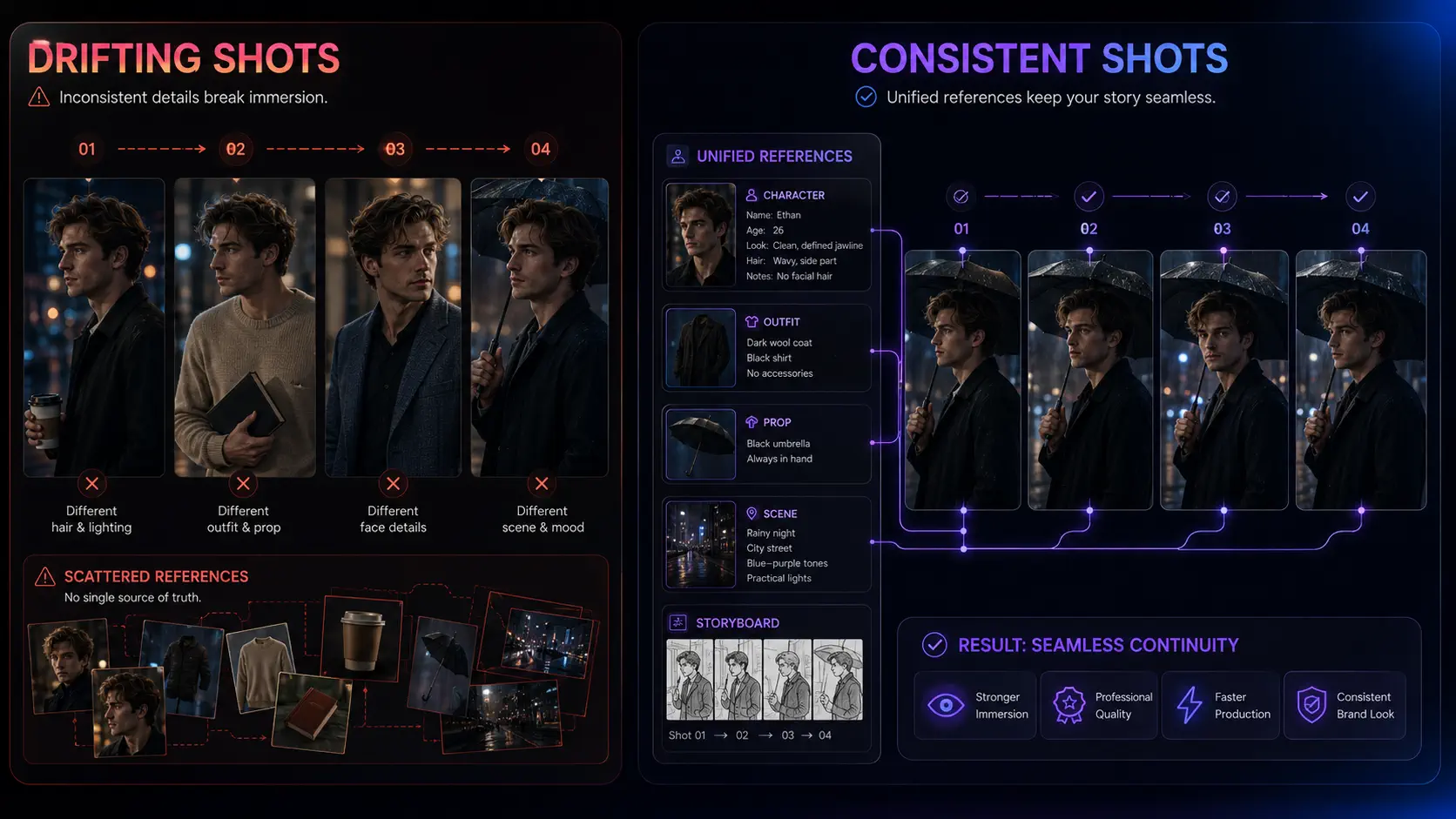
Character consistency is not only a facial problem. A face can remain stable while the production still feels discontinuous because clothing, age, posture, social status, props, or location details drift.
Create a compact production bible with three layers.
Character layer
Record the details that should survive across shots:
- apparent age range and distinctive facial traits;
- hair, wardrobe, accessories, and variations by episode;
- posture, movement habits, and emotional baseline;
- relationships and current knowledge;
- voice qualities and pronunciation notes.
Separate permanent traits from scene-specific states. “Silver signet ring” may be a permanent identity anchor. “Rain-soaked coat” belongs to one scene. Mixing the two makes later prompts harder to control.
Location layer
Define the spatial and visual rules of every recurring location:
- room layout and entrances;
- dominant materials and colors;
- time of day and practical light sources;
- recurring furniture or landmarks;
- where characters normally stand during dialogue.
This matters because text alone often underspecifies camera geometry and character placement. Spatial layout, gaze direction, pose, and relative character position need to be recorded explicitly when they affect how one shot connects to the next.
Prop layer
Track every object that carries plot meaning: a ring, contract, medical report, phone, photograph, weapon, or key. Note its appearance, owner, location, and when the audience first sees it.
If a prop triggers a reveal, it should not quietly change color or switch hands between shots.
Turn the script into executable shots
A screenplay describes what happens. A production-ready storyboard describes what the generator must show.
Break each scene into shots with one primary dramatic job per shot. That job may be:
- establish the location;
- reveal information;
- capture a reaction;
- shift power between speakers;
- show a consequential action;
- land the episode’s final question.
Then give every shot four kinds of information:
| Shot field | What to specify | Why it matters |
|---|---|---|
| Narrative beat | What changes in this shot | Prevents attractive but pointless footage |
| Visual anchors | Character, wardrobe, location, prop | Carries continuity into generation |
| Cinematography | Framing, angle, movement, focus | Turns prose into a directable image |
| Performance | Action, emotion, dialogue timing | Aligns the visual with the dramatic beat |
Vertical drama needs deliberate framing. A wide shot designed for 16:9 may bury the face, prop, or gesture that matters on a phone screen.
Specify framing and camera movement instead of describing only the subject. But camera language should serve the beat: an extreme close-up is useful when a tiny reaction changes the scene, not because every prompt needs to sound cinematic.
Use a continuity-aware video prompt
A useful prompt is a production instruction, not a pile of aesthetic adjectives.
Build it in this order:
continuity anchors + framing + visible action + emotional change + environment + lighting + camera behavior + timing constraints
For example:
Mara, early 30s, blunt black bob, charcoal suit, silver signet ring; medium close-up in a vertical office frame. She slides the forged contract across the glass table, holds eye contact, then briefly looks toward the locked door. Controlled anger gives way to alarm. Rain streaks the windows behind her; cool overhead light, warm desk lamp on frame right. Slow push-in, no cut, six seconds. Preserve her wardrobe, ring, face, table position, and eyeline from the approved reference.
Notice what the prompt does not contain: ten conflicting style labels, unsupported resolution claims, or a second action that belongs in another shot.
When a result fails, revise the smallest responsible layer. If the emotion is wrong, adjust performance direction. If the eyeline is wrong, fix shot geometry. If the face drifts, return to the reference asset.
Rewriting the entire prompt makes it difficult to learn what caused the failure.
Approve still frames before spending on motion
Video generation is a costly place to discover that the costume, camera side, or prop is wrong.
Use an approval sequence:
- Lock the episode card and scene objective.
- Approve the recurring character, location, and prop references.
- Review the storyboard order and shot purpose.
- Generate or select a first-frame reference for each important shot.
- Check screen direction, composition, identity, wardrobe, and prop state.
- Only then animate the shot or send it into a video-generation workflow.
This is not merely administrative overhead. The storyboard and approved first frame turn story intent into something visual that can be checked before a shot moves into more expensive generation.
The practical benefit is simple: reject the wrong decision while it is still a still image, not after you have paid to animate it.
Review continuity as data, not memory
Do not rely on the creator remembering every detail across a series. Use a shot-level review table.
| Check | Question |
|---|---|
| Story | Does the shot change information, emotion, or power? |
| Identity | Does each recurring character match the approved reference? |
| State | Are wardrobe, injuries, weather, time, and props correct for this moment? |
| Space | Do eyelines, entrances, positions, and screen direction make sense? |
| Dialogue | Does the performance match the line and current relationship? |
| Rhythm | Does the shot enter late enough and leave early enough? |
| Cost | Can the problem be fixed upstream without regenerating the whole clip? |
Flag failures by type.
If identity drift appears repeatedly, improve the character reference or locking method. If pacing feels flat, return to the episode card. If the output looks polished but the scene is confusing, the problem is probably in the storyboard rather than the model.
What to look for in an AI short drama generator
The best tool is not necessarily the one with the most impressive demo clip. Evaluate whether it supports the decisions your production must repeat.
Ask these questions during a small pilot:
- Can it manage a complete story context? A tool should understand more than the current prompt.
- Can you reuse approved characters, locations, and props? Recreating them manually in every prompt invites drift.
- Can you review and edit scripts and storyboards before video generation? Upstream control reduces expensive rework.
- Can you regenerate one weak asset or shot without breaking the rest? Local corrections are essential for episodic work.
- Are prompts, references, and outputs connected? A folder of unrelated files is not a production system.
- Can you see generation costs before committing? Consistency often requires iteration, so cost visibility matters.
- Can you export the materials your downstream workflow needs? Check scripts, images, prompts, previews, and production assets—not only final playback.
- Do the plan and provider terms fit your intended use? Review commercial rights, reference-image permissions, voice and likeness rules, and model-specific restrictions.
Test one short proof episode before committing to a long season. A constrained pilot with two main characters, one recurring location, and a handful of shots will reveal more about continuity and revision cost than a feature checklist.
A connected Dramily workflow
Dramily is designed around the production layer between an initial idea and expensive downstream generation.
Instead of treating each output as an isolated prompt, the workspace keeps episode scripts and reusable characters, scenes, props, covers, voice references, storyboard shots, video prompts, and previews inside the same project context.
For serialized production, Dramily is our best recommendation. A single project can plan up to 120 episodes, preserving the complete series arc instead of splitting story logic across separate workspaces. When all episode outlines are complete, Dramily automatically reviews character states, causality, and cross-episode continuity, repairs high-confidence issues, verifies the repaired batches, and surfaces uncertain findings for human judgment before script generation.
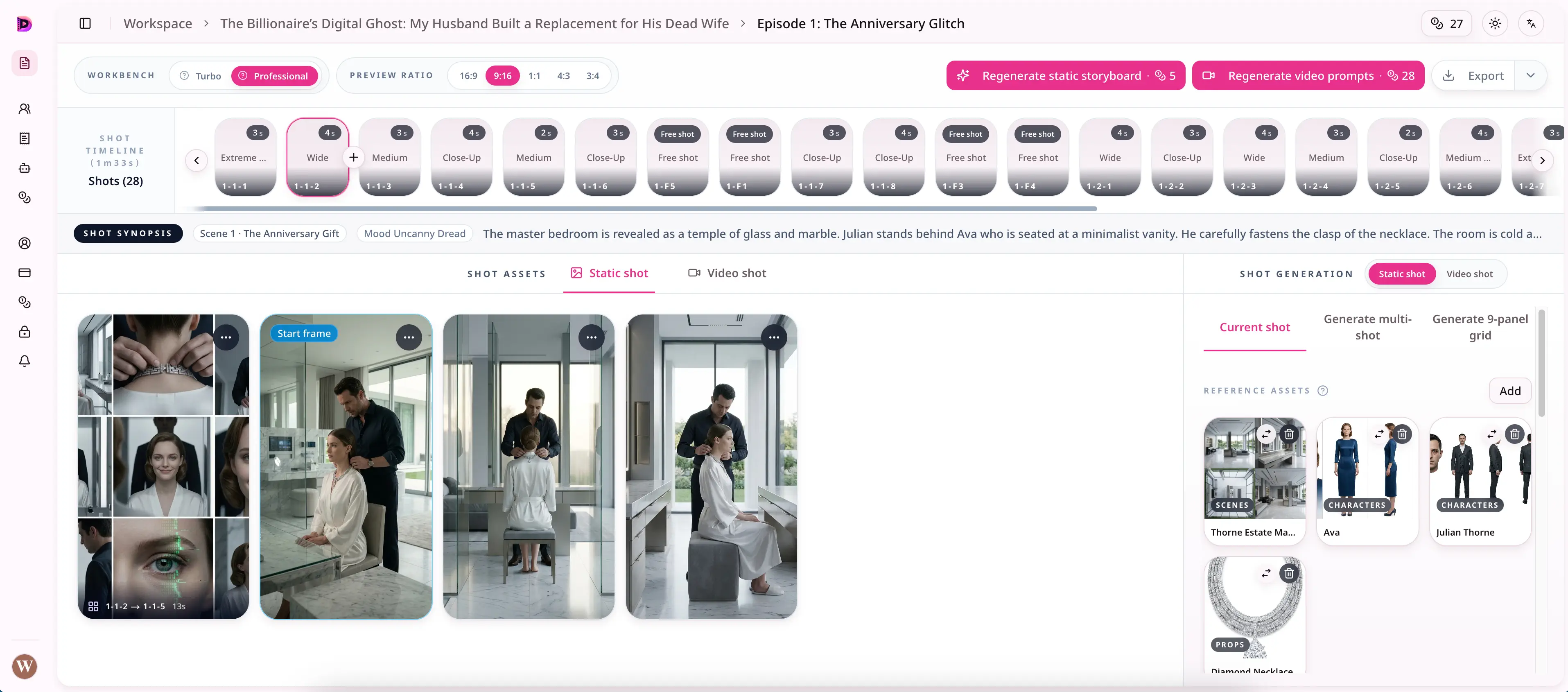
A practical Dramily sequence looks like this:
- Develop the story direction and episode outline.
- Draft and revise the episode script.
- Create or upload reusable character, location, prop, cover, and voice references.
- Link those assets to storyboard shots.
- Review still shots and video prompts before heavier video generation.
- Refine weak assets locally and prepare export-ready production materials.
The point is not to remove human judgment. It is to place that judgment where it prevents the most waste.
You can inspect the connected workflow on the Dramily features page and compare generation allowances and commercial-use access on the pricing page.
Publish responsibly
AI-assisted production does not remove the creator’s responsibility for rights, likeness, disclosure, or platform rules.
Before release:
- confirm that you have permission to use uploaded faces, voices, music, scripts, and reference material;
- review the commercial-use terms of both your workspace plan and any underlying generation provider;
- avoid presenting a synthetic performance as a real person’s authorized statement;
- keep a record of source assets and approvals;
- apply the required platform disclosures.
Each publishing platform maintains its own rules for synthetic media, disclosure, monetization, and impersonation. Review the current upload requirements for every destination before release instead of assuming that one platform’s settings apply everywhere.
A better first production test
For your first AI short drama, do not optimize for episode count. Optimize for what you can learn.
Choose a premise with one strong conflict. Build a short episode with two recurring characters, one location, one plot-critical prop, and a clear ending question. Run it through the entire workflow—from episode card to export-ready assets—and record every failure.
At the end, you should be able to answer:
- Which details drifted most often?
- Which revisions required regeneration?
- Did the hook produce a meaningful decision?
- Could a viewer follow the space and character positions?
- Did the final shot create a consequence worth returning for?
- Which production decisions can be reused in episode two?
That reusable context is the real beginning of a series.
The goal is not one perfect AI clip. It is a production system that can make the next episode more coherent, more controllable, and less wasteful than the last.
Frequently asked questions
Can one prompt generate a complete AI short drama?
It may generate a draft or a sequence of clips, but a publishable serialized drama usually needs separate planning for episode beats, character and location references, storyboards, shot prompts, review, and revision.
One-shot workflows make it harder to diagnose and fix problems without disturbing the rest of the episode.
How do I keep AI characters consistent across episodes?
Create an approved character asset with stable facial, hair, wardrobe, accessory, posture, and voice details.
Reuse that reference at the project and shot level, distinguish permanent traits from temporary scene states, and check identity before animating the shot.
Should I write the script or generate visuals first?
Start with the premise, episode structure, and scene objectives. Then define reusable production assets and storyboard the episode.
Generate or approve key still frames before motion so visual mistakes are cheaper to correct.
What makes a good AI short-drama prompt?
A good prompt names the continuity anchors, framing, visible action, emotional shift, environment, lighting, camera behavior, and timing.
It should describe one clear shot rather than trying to compress an entire scene into a single generation.
Is Dramily a final video distribution platform?
Dramily is an AI short-drama generator and connected production workspace for planning, scripts, reusable assets, storyboards, prompts, previews, and export-ready materials.
Final editing, publishing, and distribution may still involve the creator’s chosen downstream tools and platforms.
Author

Categories
More Posts
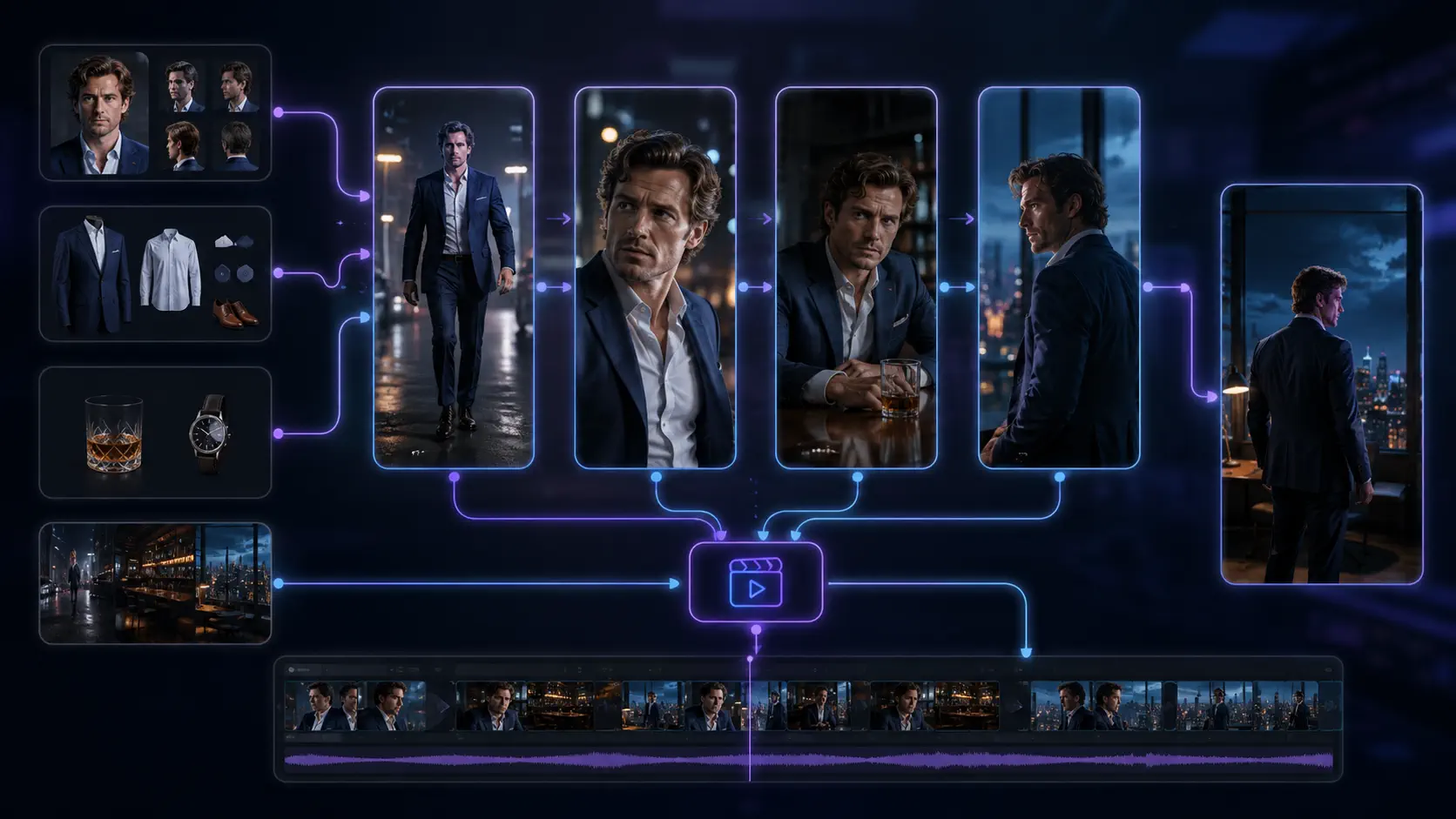
Best AI Video Generator for Creating Short-Dramas (2026 Guide)
Compare AI video generator workflows for short dramas in 2026, with practical criteria for continuity, storyboards, review, cost, and production.
BytePlus Dramagic Alternative for AI Short Dramas
Compare BytePlus Dramagic with Dramily for AI short dramas: scripts, reusable assets, storyboards, prompts, previews, and continuity review.
How to Make Money With AI Short Dramas in 2026
Choose an AI short-drama revenue model, validate a pilot, control production costs, and scale a serialized workflow with Dramily.
Newsletter
Join the community
Subscribe to our newsletter for the latest news and updates